TruLens
TruLens
OVERVIEW
Intro
TruLens is an application which helps people with lower AI literacy can better navigate misinformation on social media without feeling overwhelmed. Using AI, the tool surfaces credibility signals in real time and translates them into simple, visual cues. My goal was to help users slow down, reflect, and make more informed decisions, without interrupting their natural browsing experience.
My Role
Role:UX Researcher, UX/UI Designer, Motion Graphic Designer
Date: Feb 2026 - Apr 2026
Duration: 6 weeks
Tool: Figma, AI-assist prototyping
SNEAK PEAK
Smart Content Screening
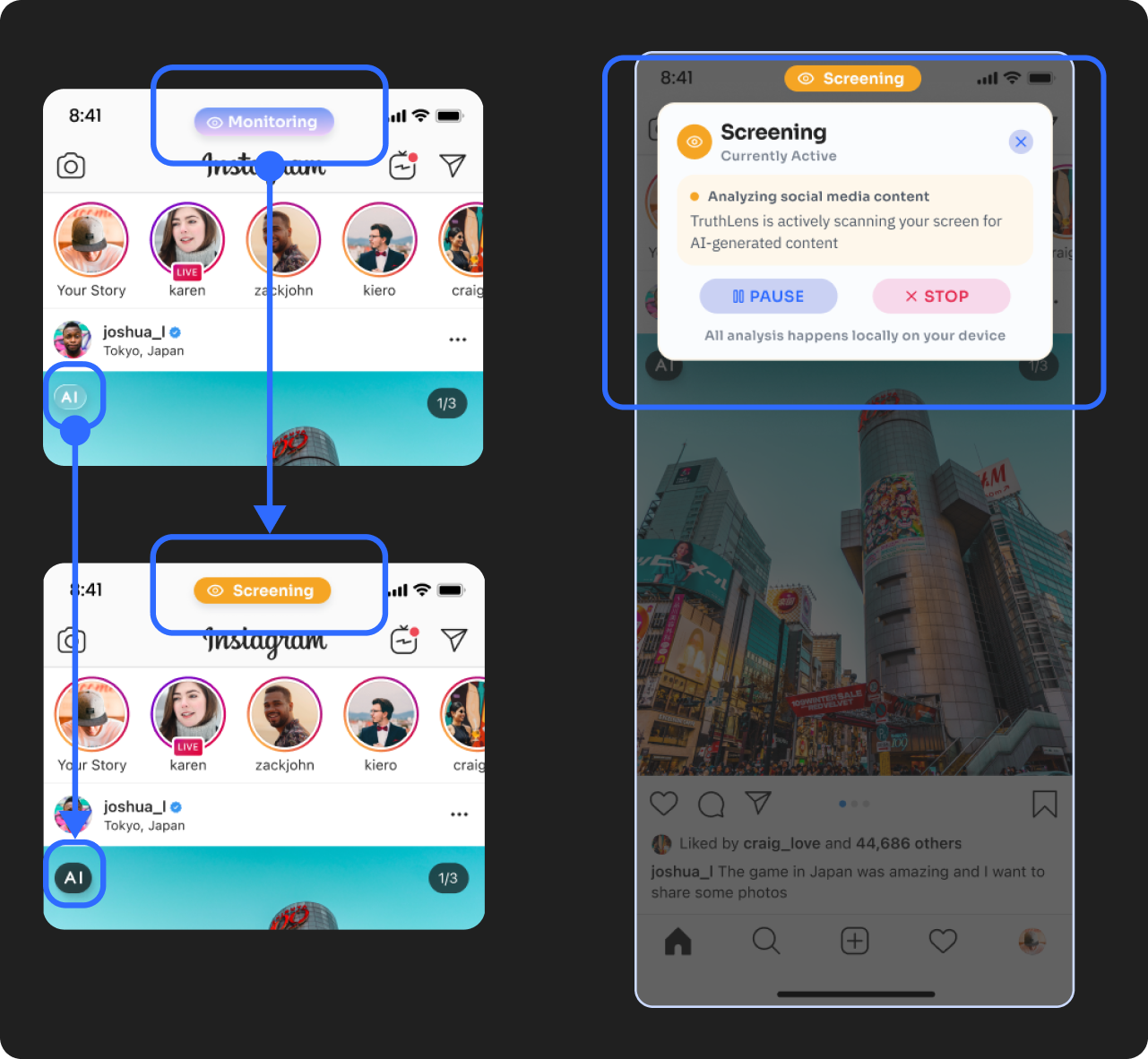
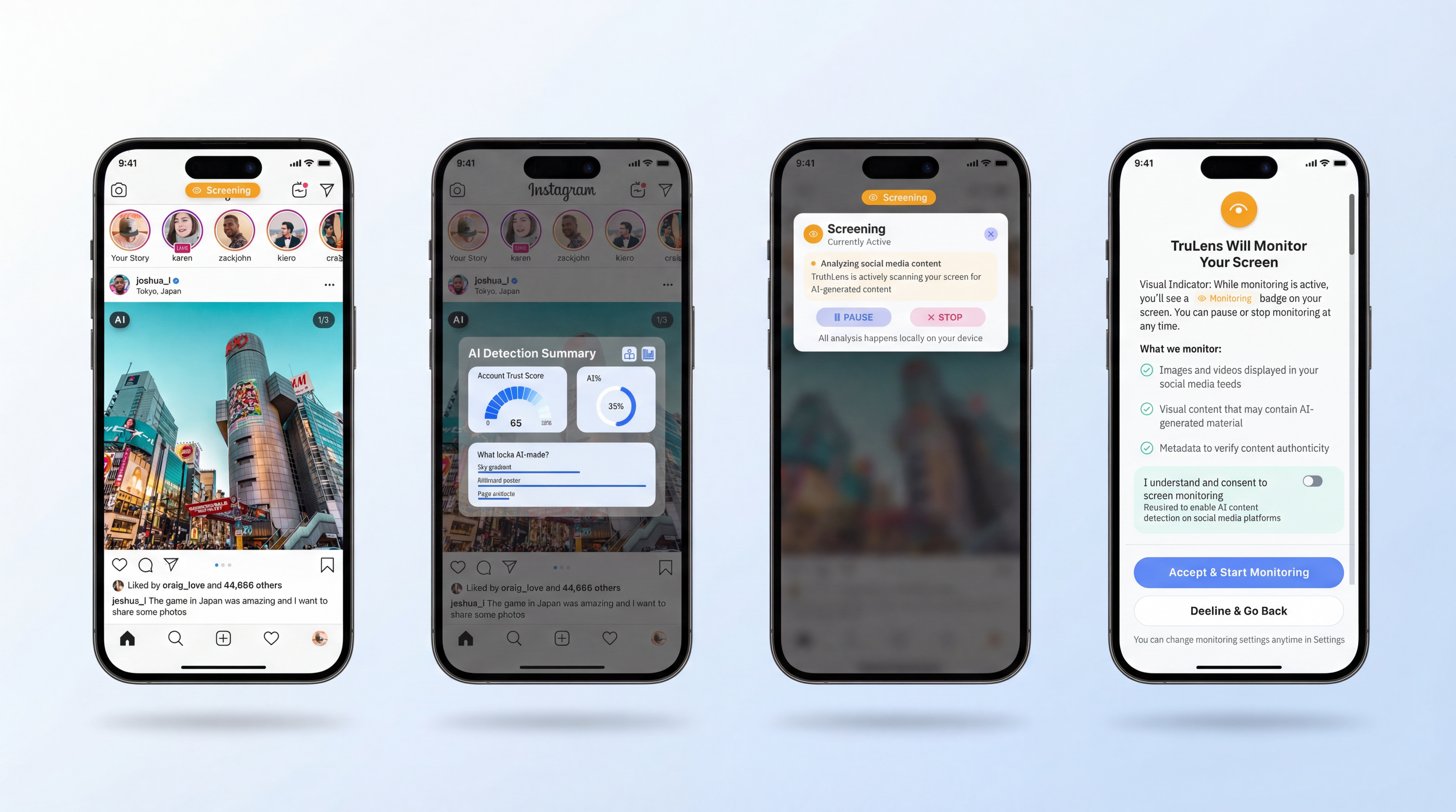
Connects to social platforms and scans content in real time without storing personal data
Allows users to filter AI-generated content based on preference (e.g. news only, or all AI media, including images and videos)
Supports a more intentional and controlled browsing experience
AI Insight & Awareness
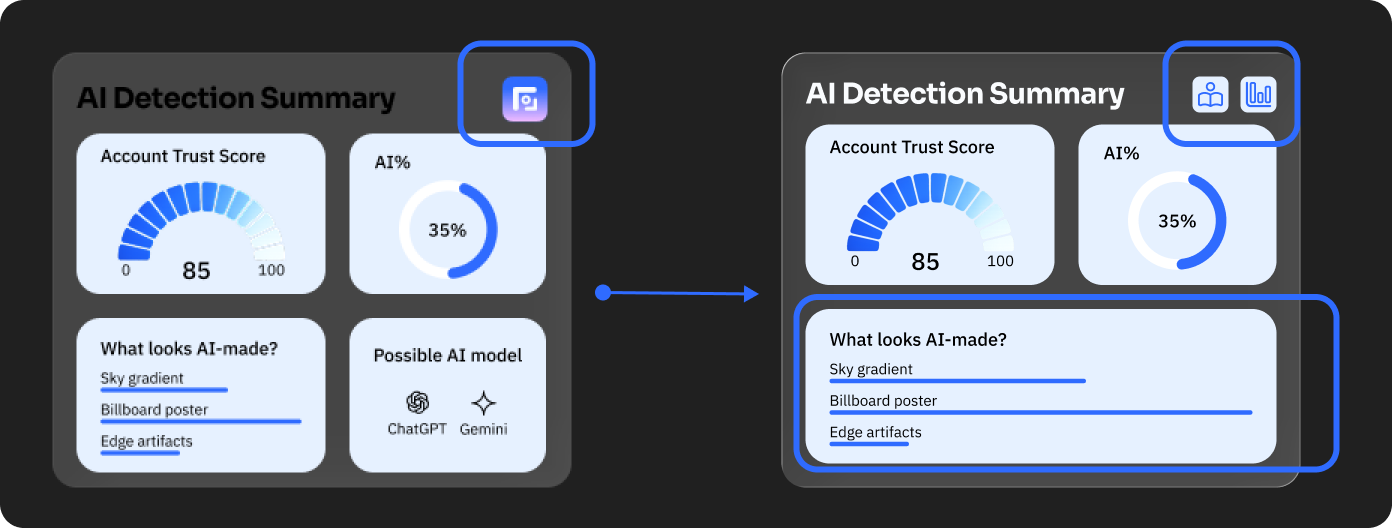
Interactive AI overlay reveals how content may be generated
Shows the likelihood of AI involvement and possible generation models
Highlights specific elements that may be AI-produced
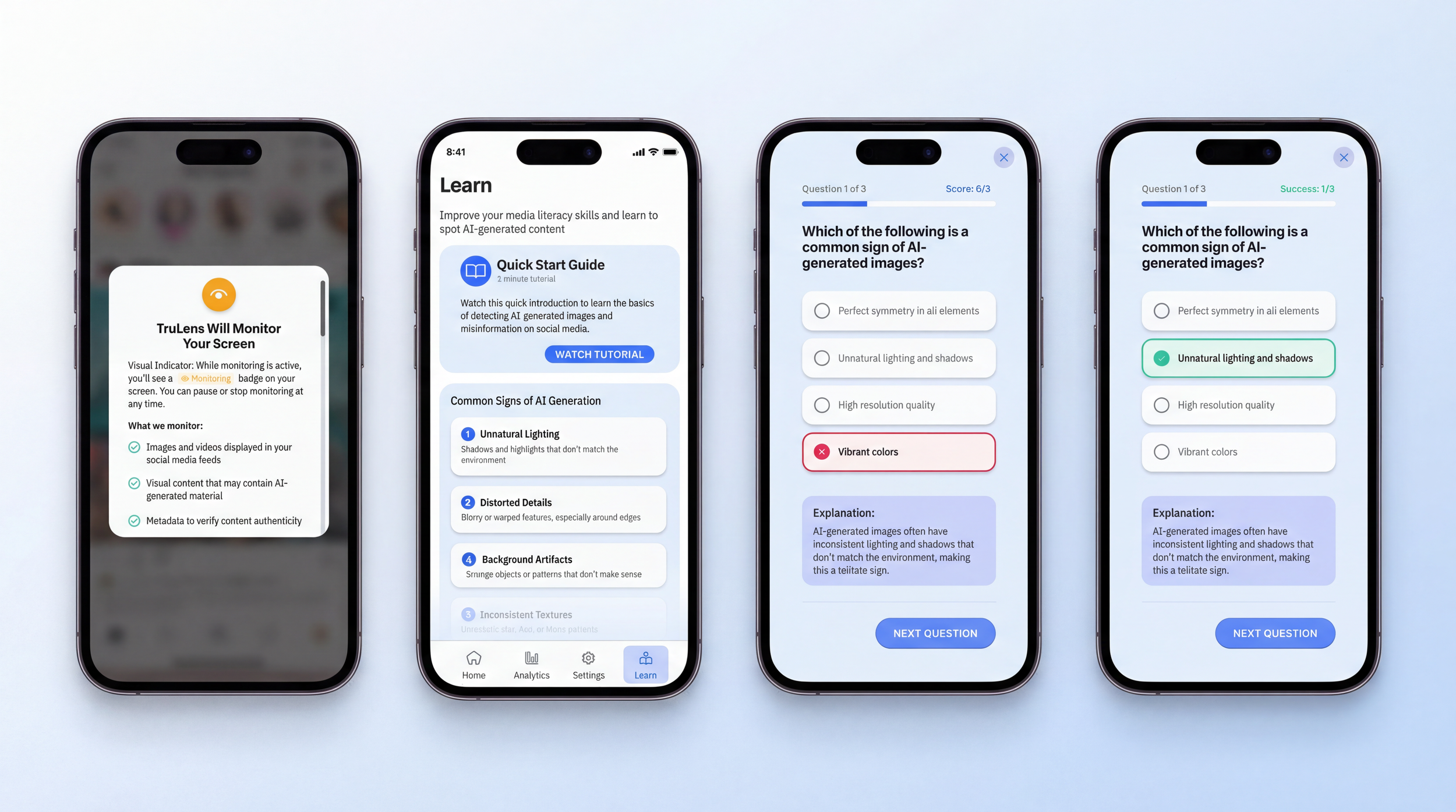
Includes an analytics panel tracking daily exposure to AI content and content categories
Generative AI has dramatically increased the amount of misinformation on social media platforms such as Instagram. This creates several risks: Blurred boundaries between real and synthetic identities, rapid spread of visually persuasive misinformation, and growing erosion of trust in online information.
PROBLEM
The User Problem
1. There's so much AI content in social media posts that it's hard for people to tell which posts were generated by AI when they're browsing.
2. AI-generated images or videos can look convincing, leading users to share them without much thinking.
3. The platform doesn’t really tell you what's suspicious.
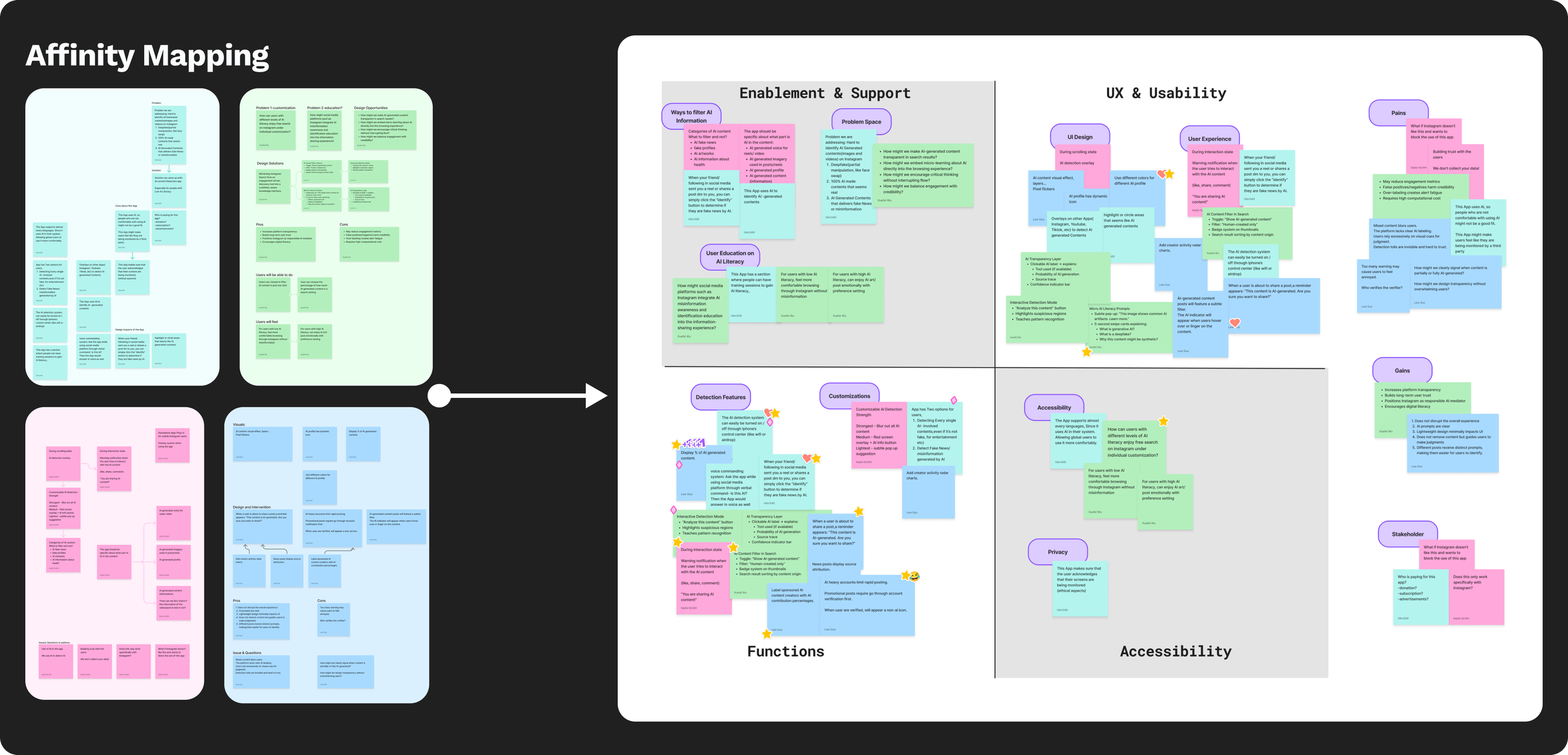
Why it matters
- Sharing without verifying the facts can cause misinformation to spread even faster.
- This will influence people’s judgment and trust in social media.
- Many users do not have the technical knowledge to identify AI-generated media on their own.
- Helping users recognize AI-generated content can improve media literacy and support more informed online behavior.
“How might we support Instagram users in recognizing and critically interpreting AI-generated visual content?”
USERS NEED
Why & What matters
1. Sharing without verifying the facts can cause misinformation to spread even faster. This will influence people’s judgment and trust in social media.
2. Many users do not have the technical knowledge to identify AI-generated media on their own.
3. Helping users recognize AI-generated content can improve media literacy and support more informed online behavior.
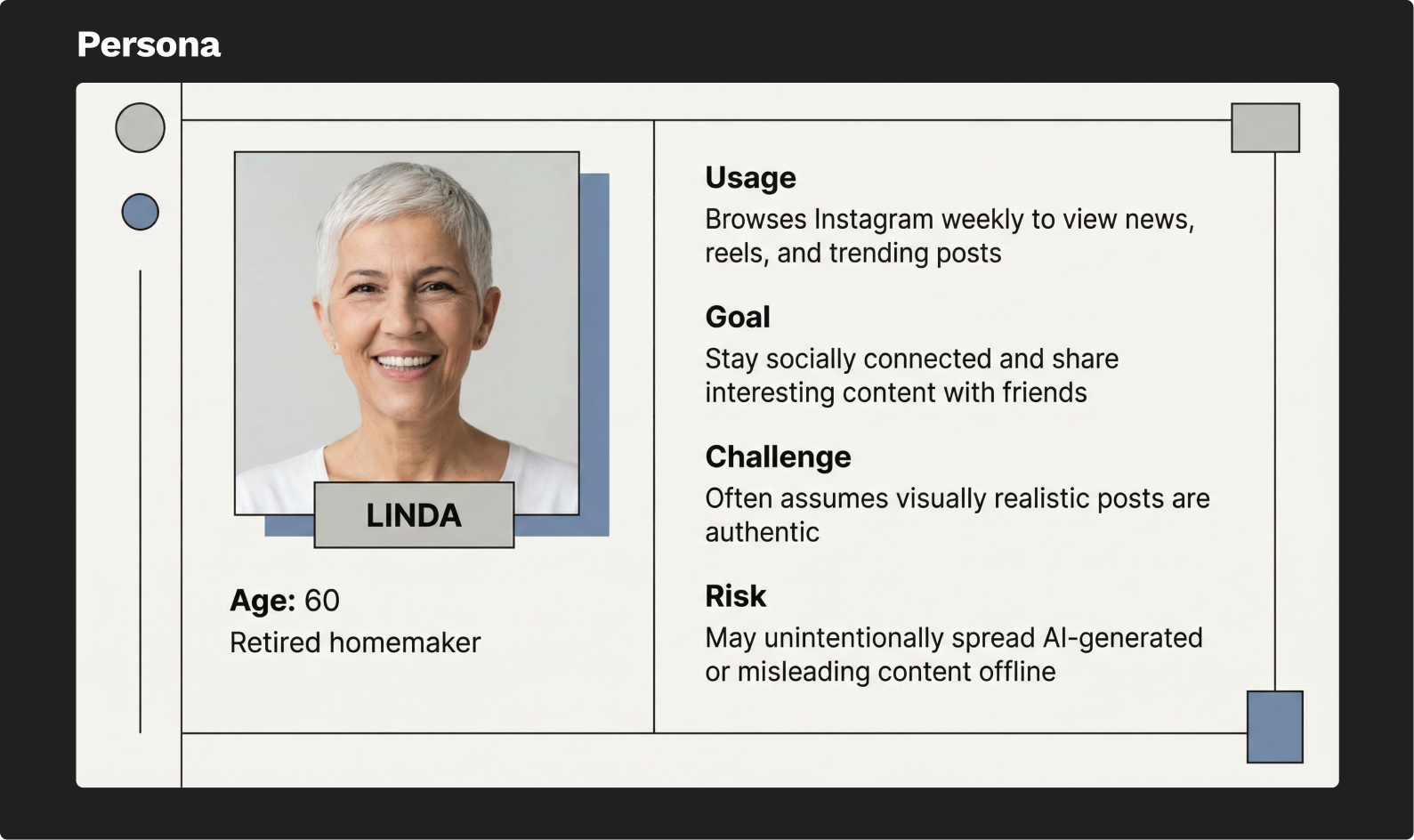
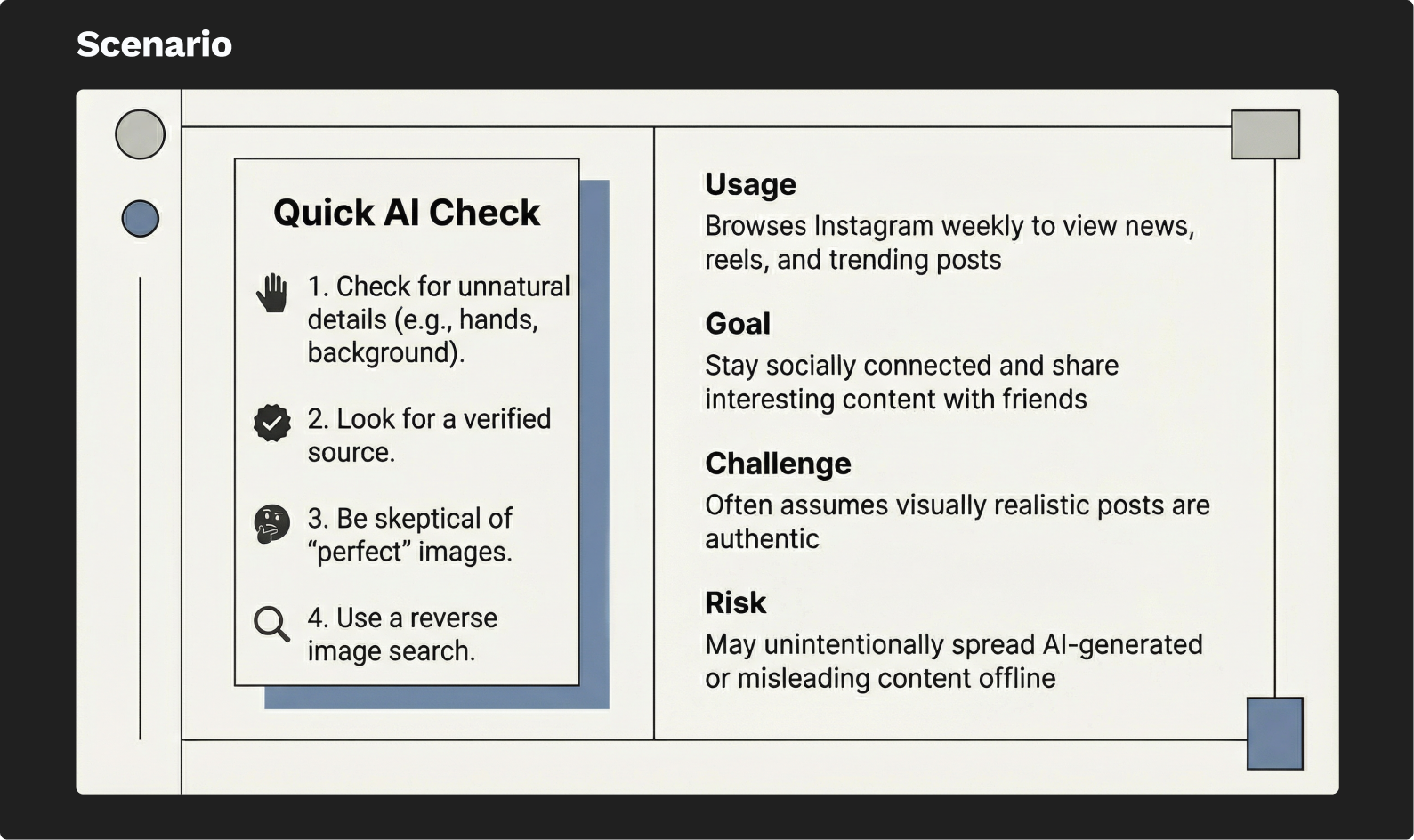
There's so much AI content in social media posts that it's hard for people to tell which posts were generated by AI when they're browsing. AI-generated images or videos can look convincing, leading users to share them without much thinking.
The platform doesn’t really tell you what's suspicious.
SOLUTION
Shifted our approach toward a standalone application (TruLens)
Focused on simple visual cues and short explanations instead of complex detection tools
Allows users to independently evaluate social media content without changing the platform itself
Identified a limitation: platforms may avoid labeling content because it could reduce engagement
Explored redesigning the Instagram interface with AI-generated content labels
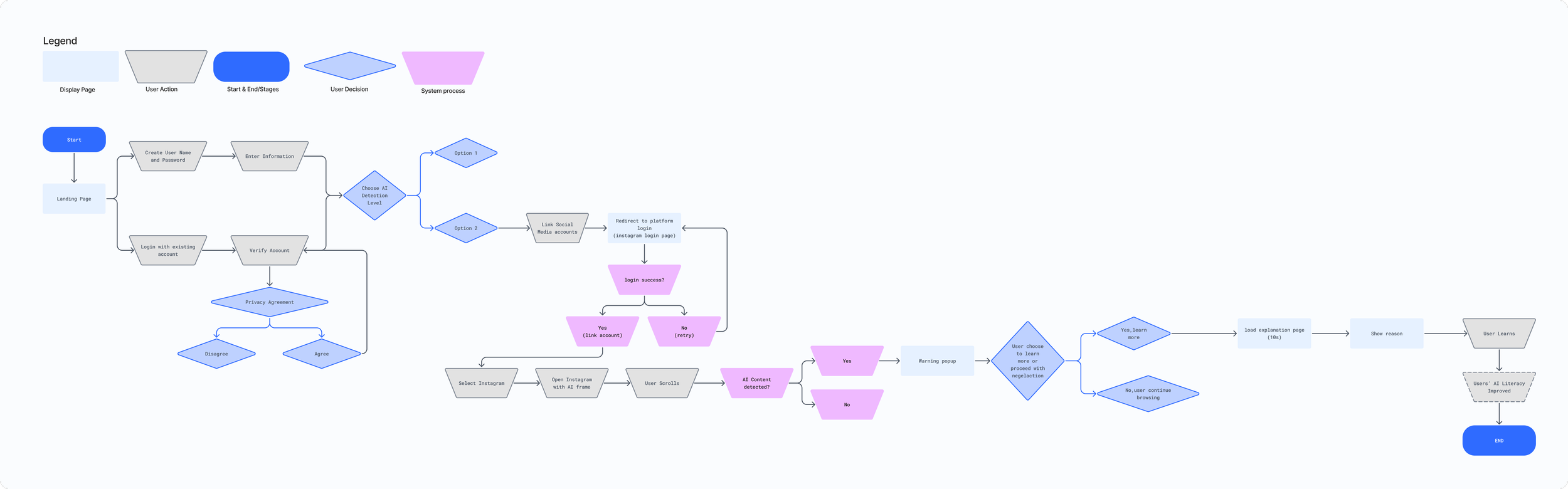
Lo-Fi Prototype
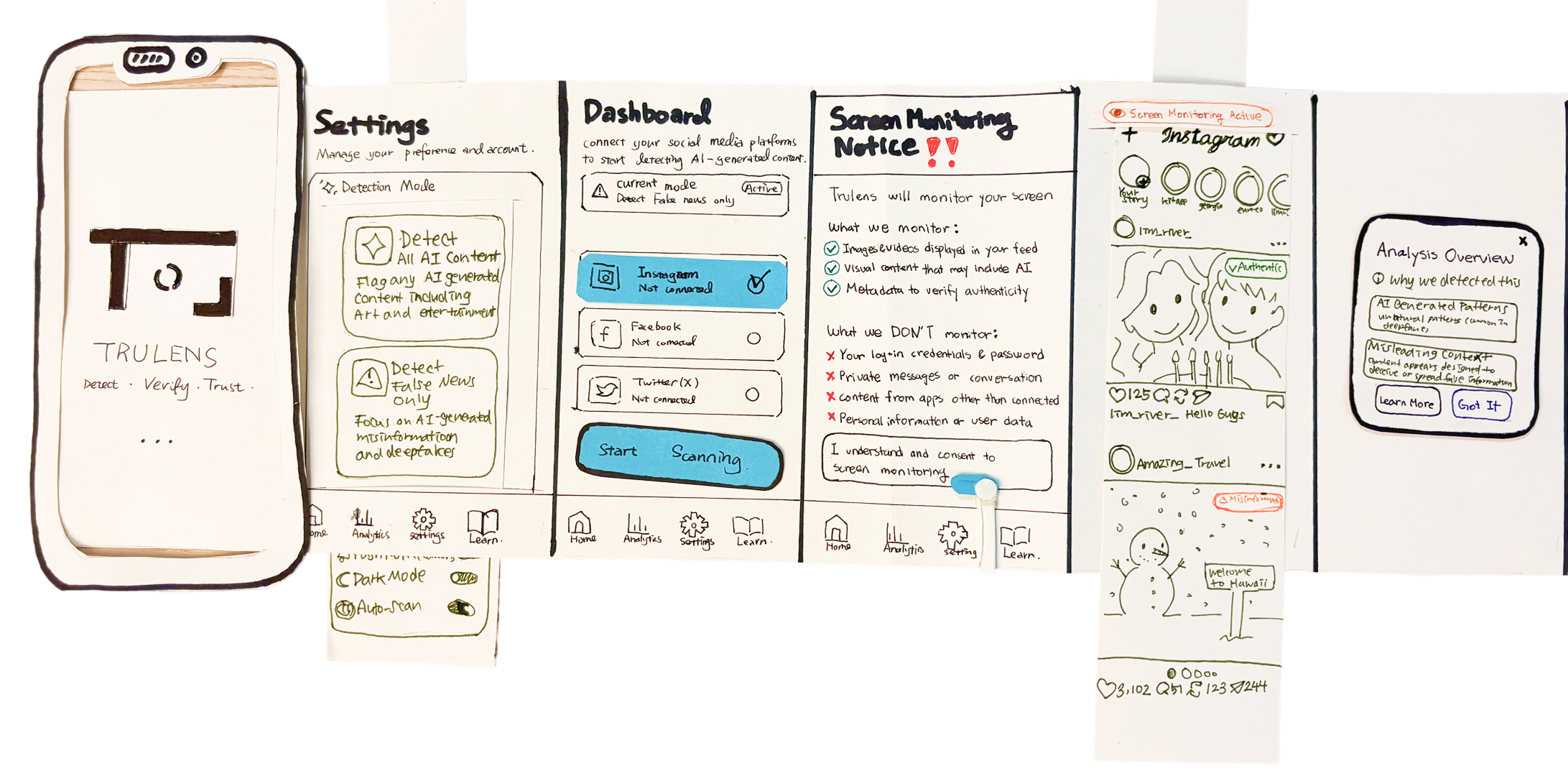
1. Sketched a low-fidelity map to outline the overall structure of the app and key user flows.
2. Organized main features and navigation to understand how users move between sections.
3. Iterated the map through team discussion to refine the information architecture before creating higher-fidelity designs.
DESIGN SYSTEM
Color
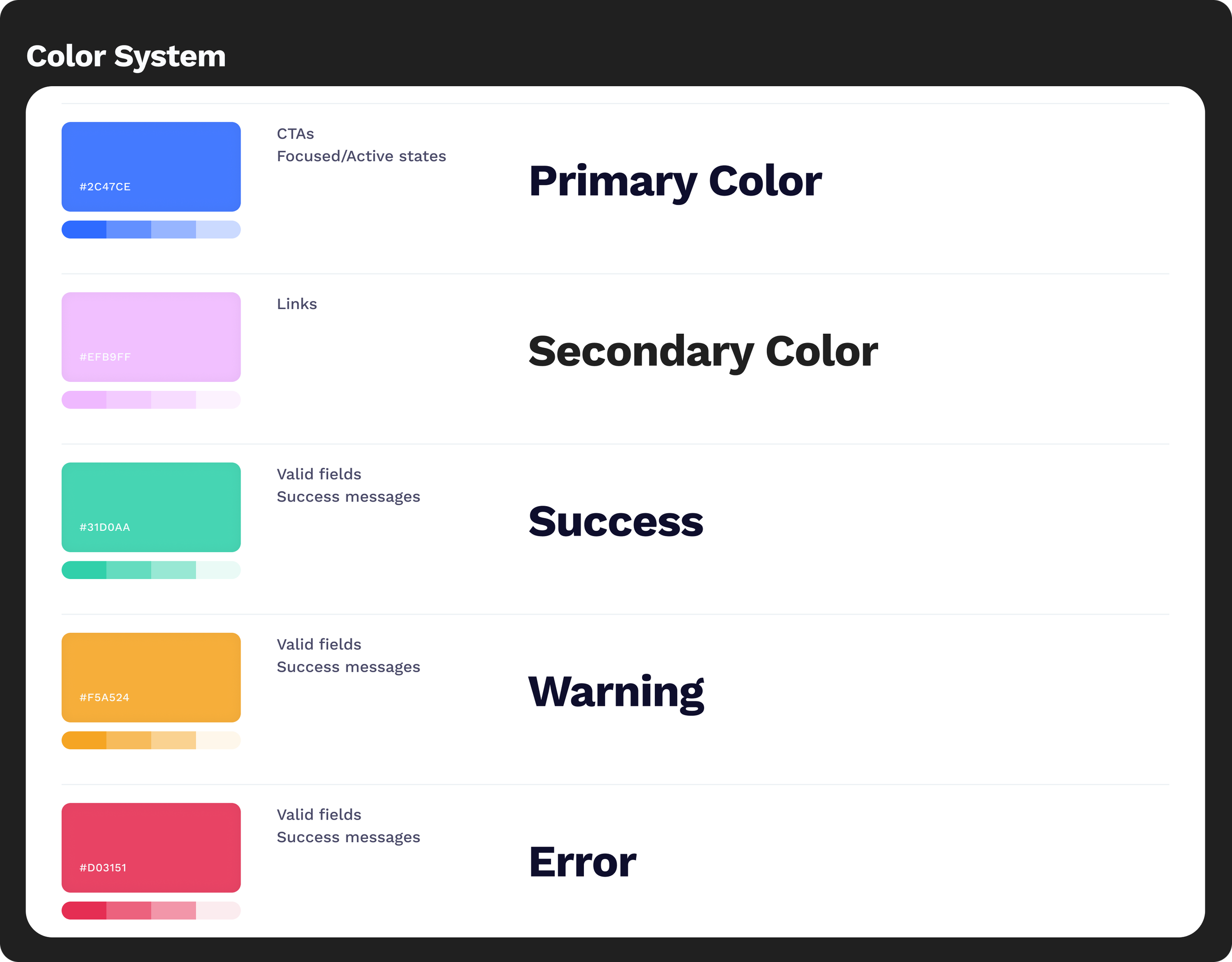
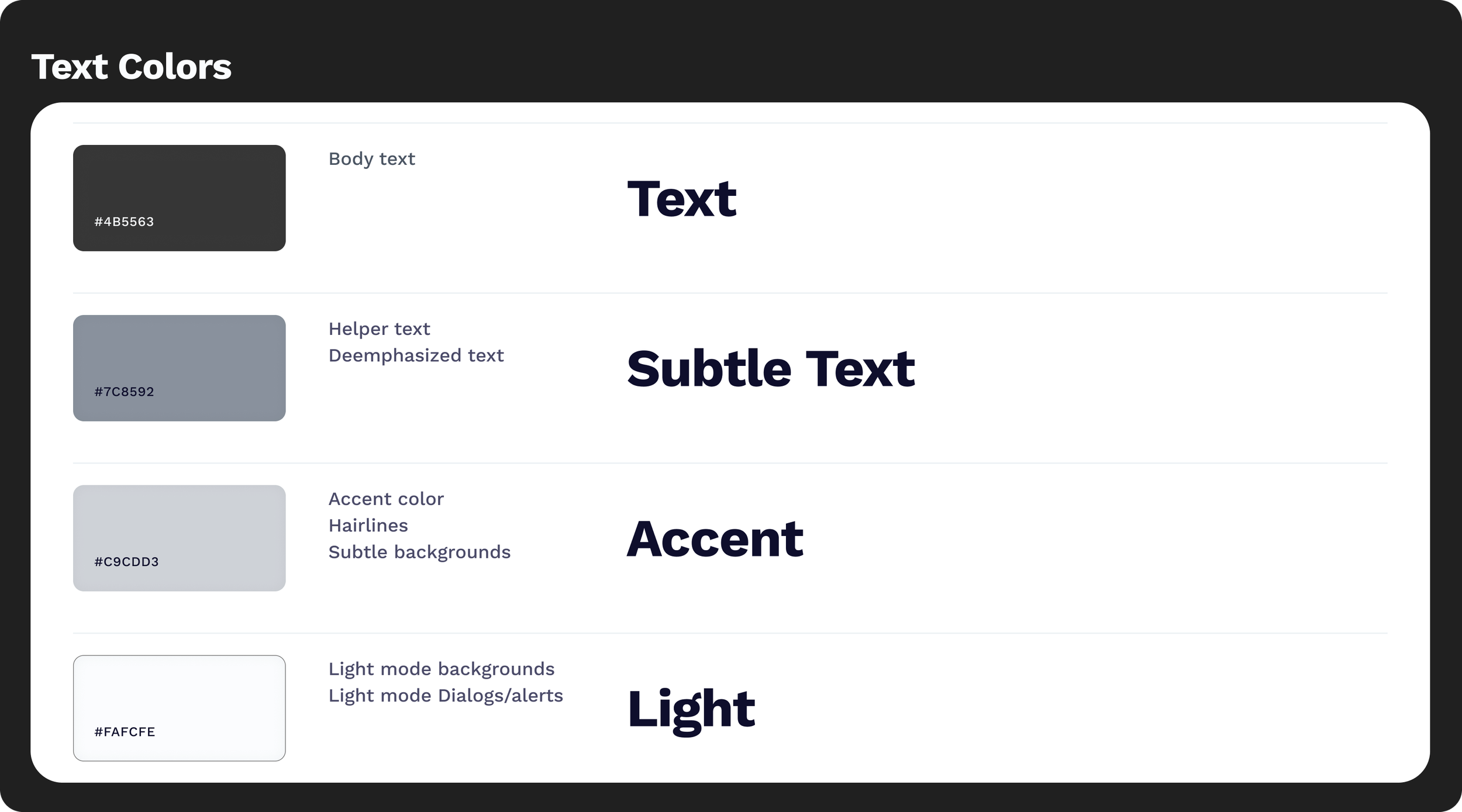
The color system is designed to feel clear and unobtrusive, supporting quick understanding without overwhelming the user. A strong blue (#2F6BFF) serves as the primary action color, signaling trust and clarity, while a soft purple (#EFB9FF) adds a subtle layer of warmth and guidance. Backgrounds remain light and minimal to keep attention on content. Body text uses a muted black (#202020), reducing visual strain while maintaining readability.
Typography
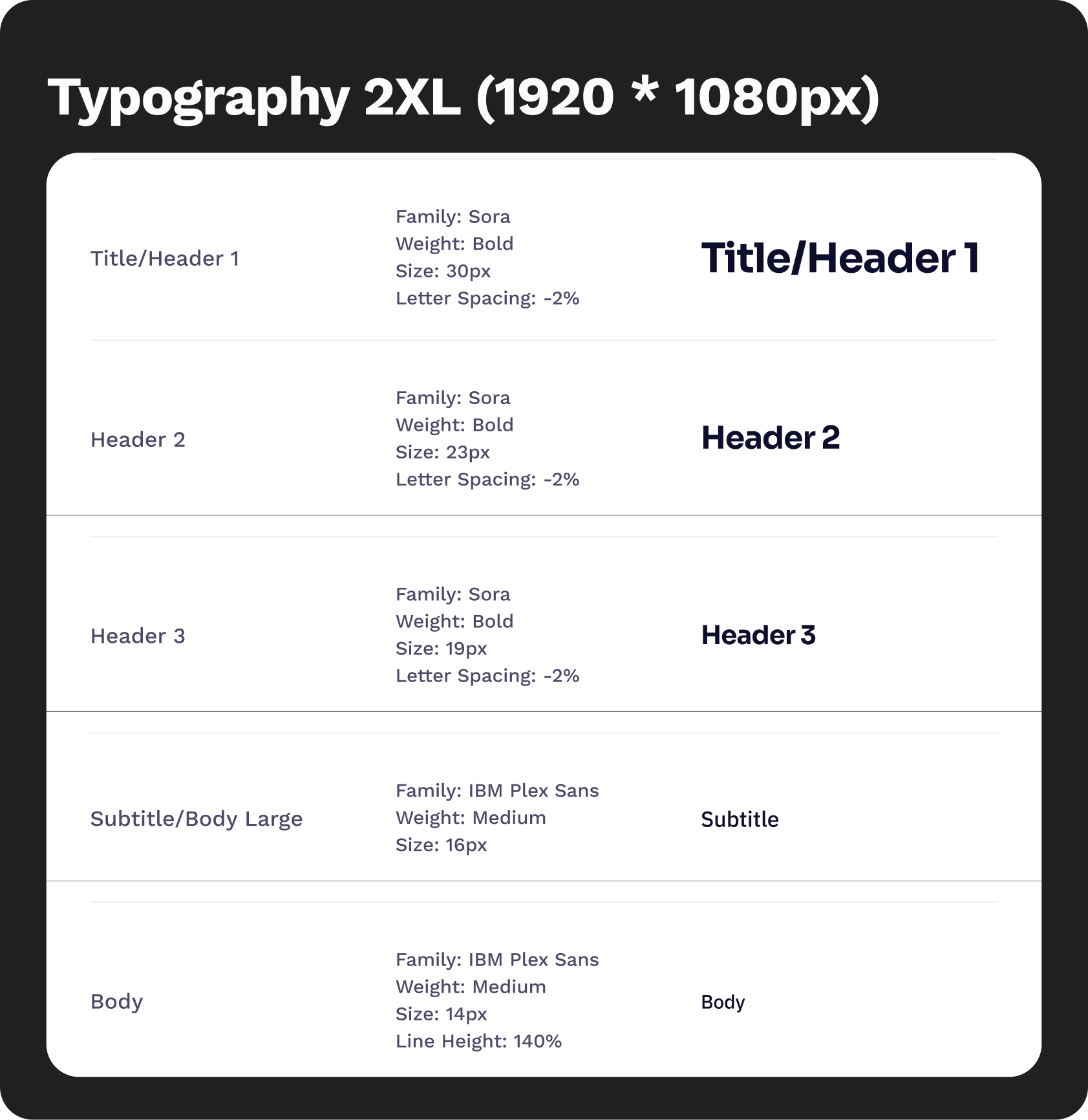
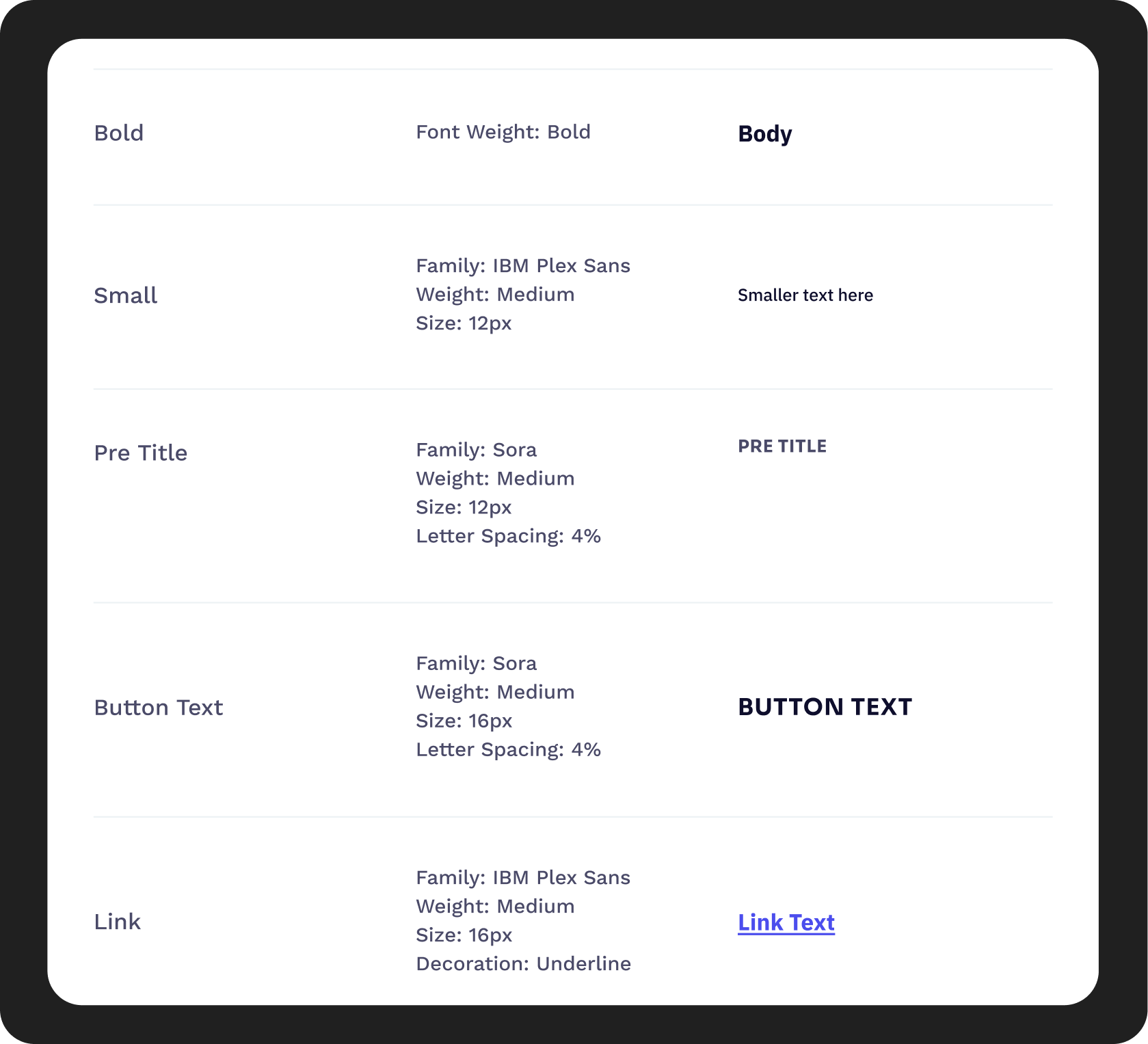
The typography combines Sora and IBM Plex Sans to balance clarity with subtle personality. Sora is used for headings, bringing a modern and approachable tone that helps key information stand out. IBM Plex Sans is used for body text, chosen for its high readability and neutral character across digital interfaces.
The hierarchy is kept simple and consistent to support quick scanning, with clear distinctions between headings and body text. Body copy uses a muted black (#202020), softening contrast to reduce visual strain and cognitive overload during extended reading.
Form & Button Structure
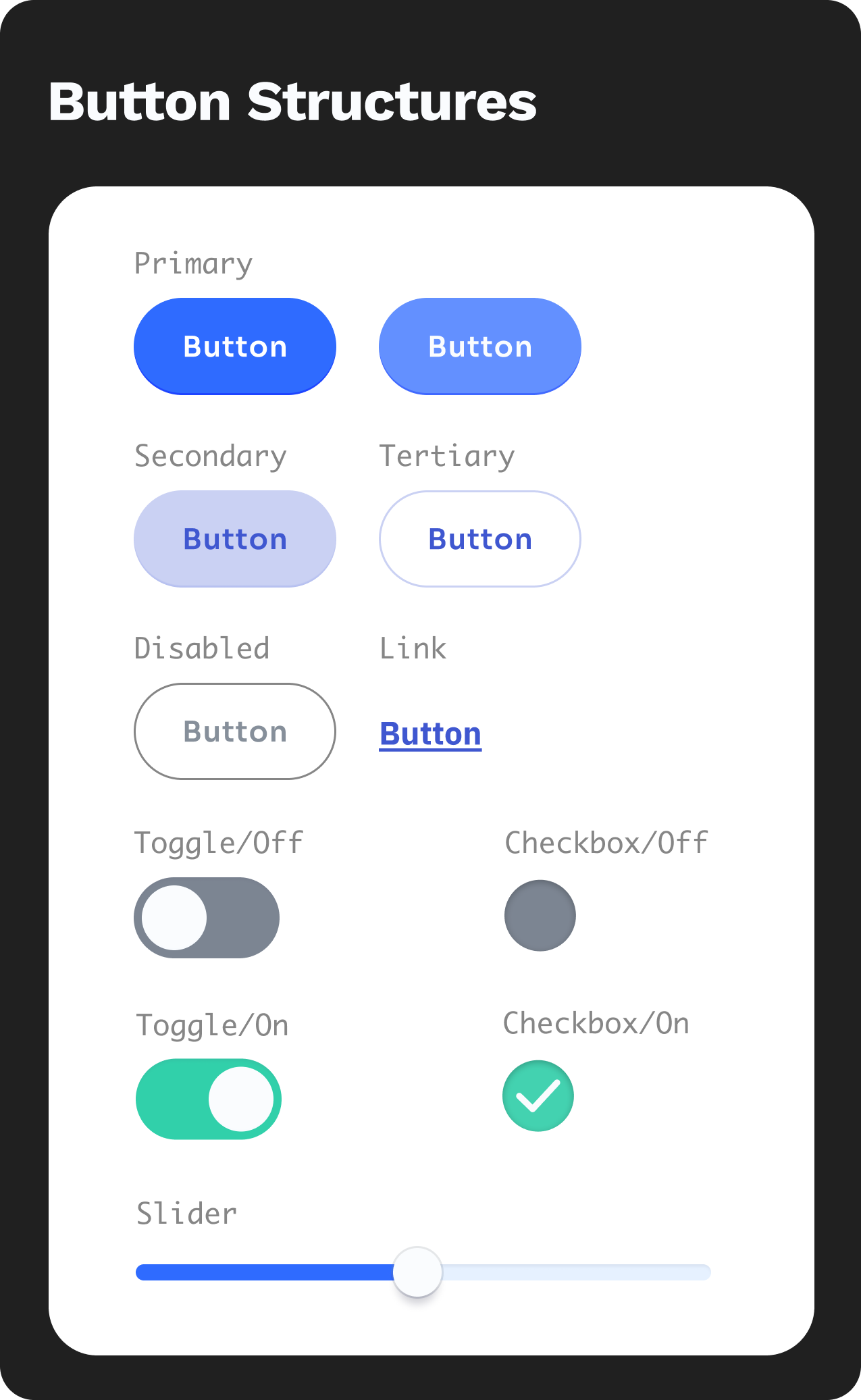
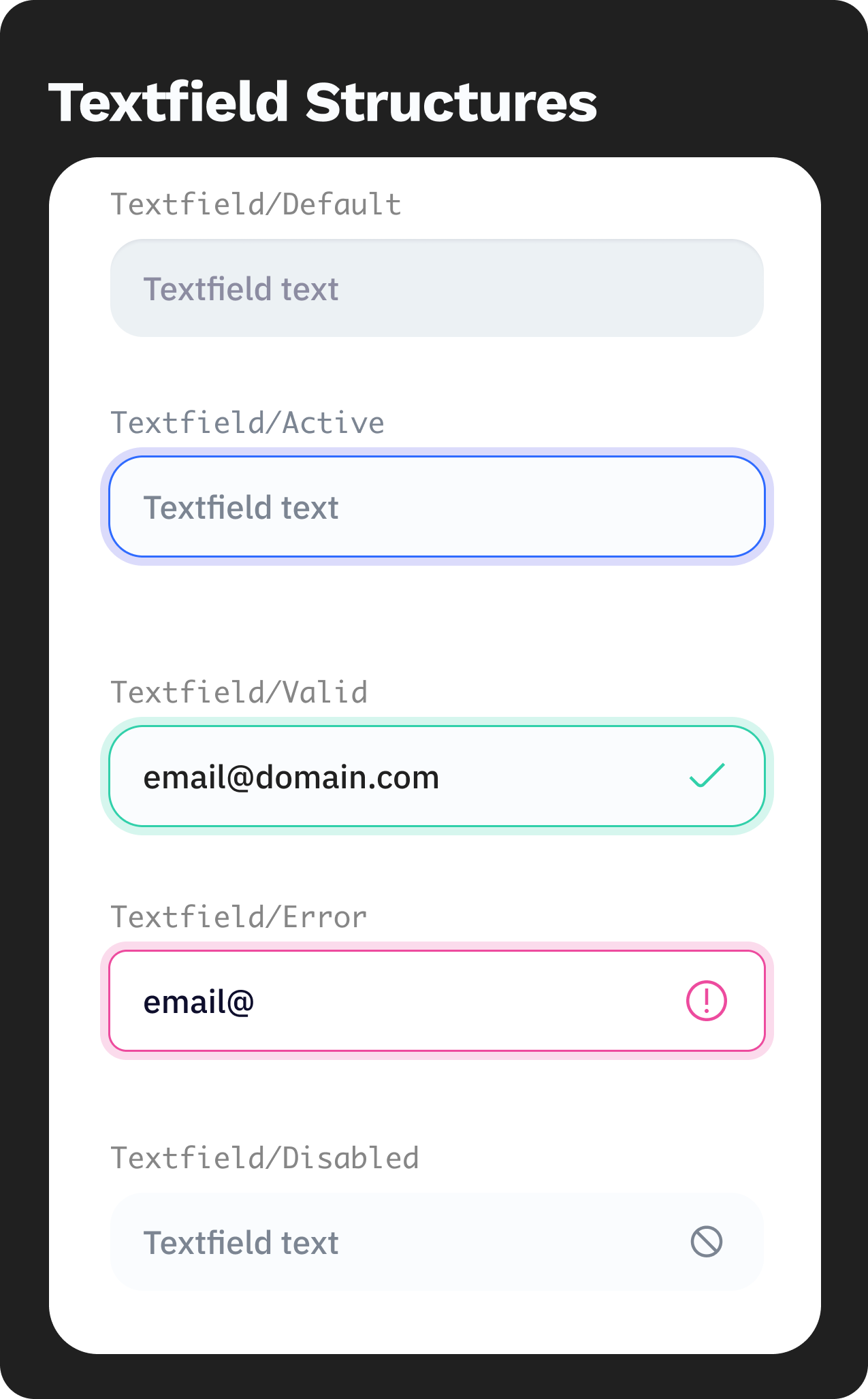
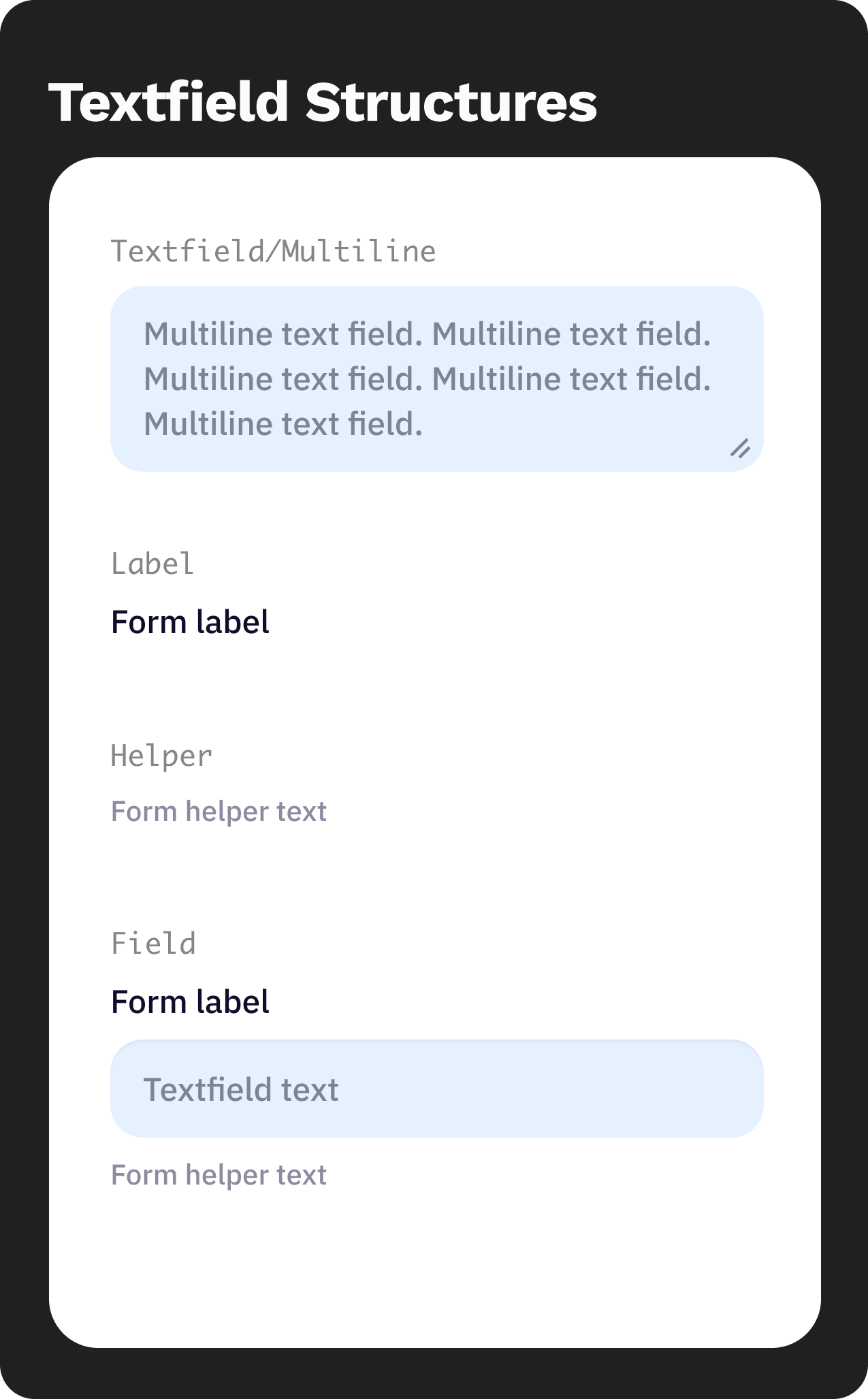
The interface uses simple, predictable structures to minimize user effort. Buttons and interactive elements follow a clear visual hierarchy, with primary actions highlighted in blue (#2F6BFF) and secondary actions kept neutral. Shapes are clean with soft edges, creating an approachable and calm interaction feel. Spacing and layout are intentionally generous, allowing users to process information at a comfortable pace without feeling crowded.
UI SHOWCASE
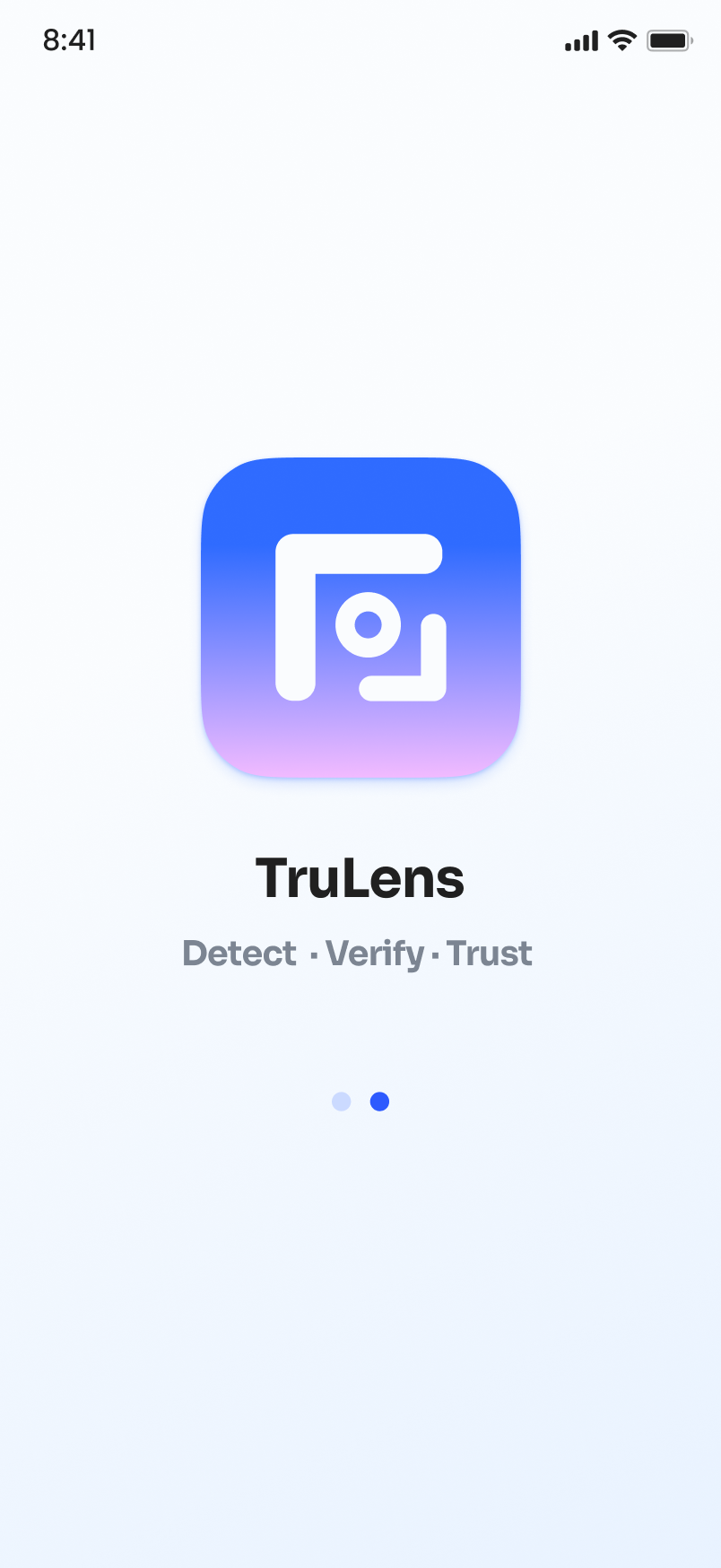
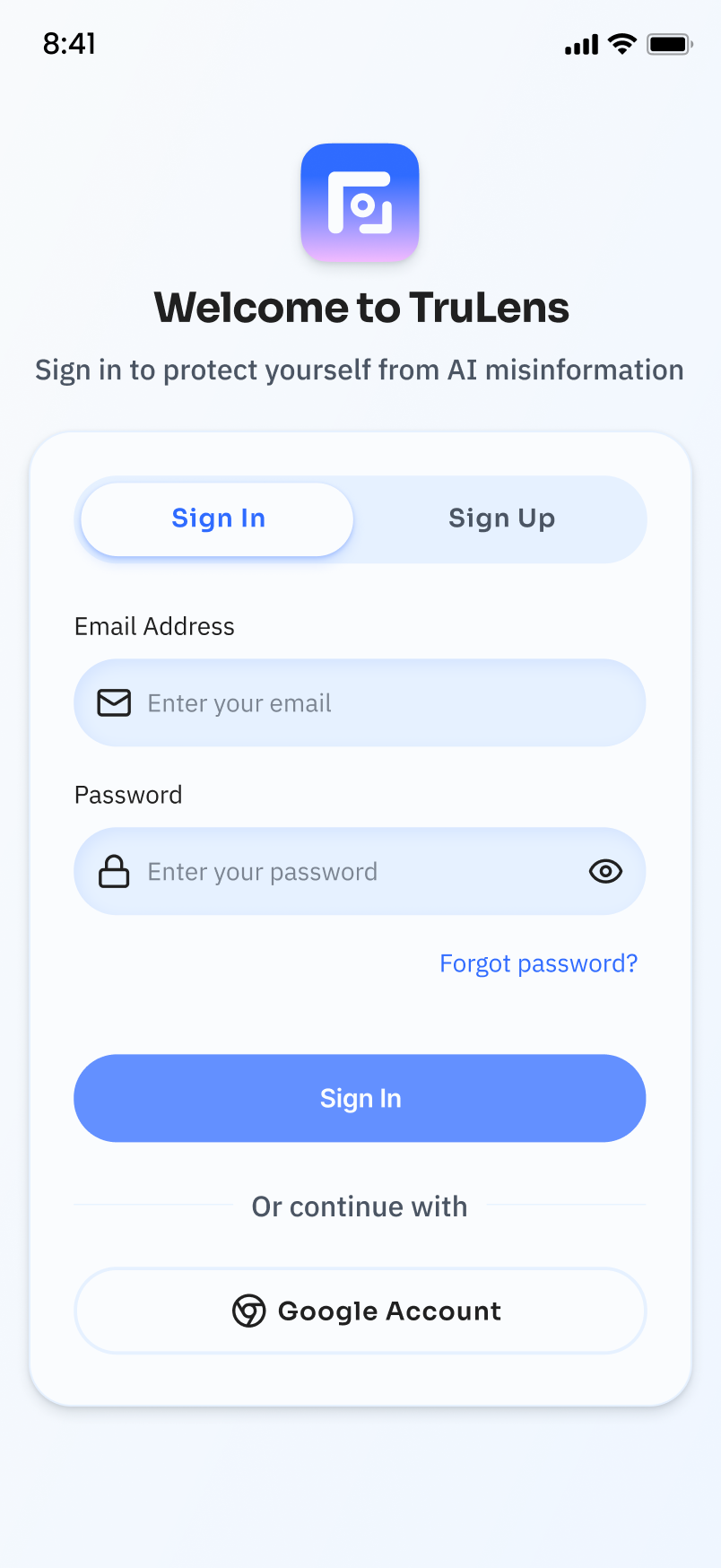
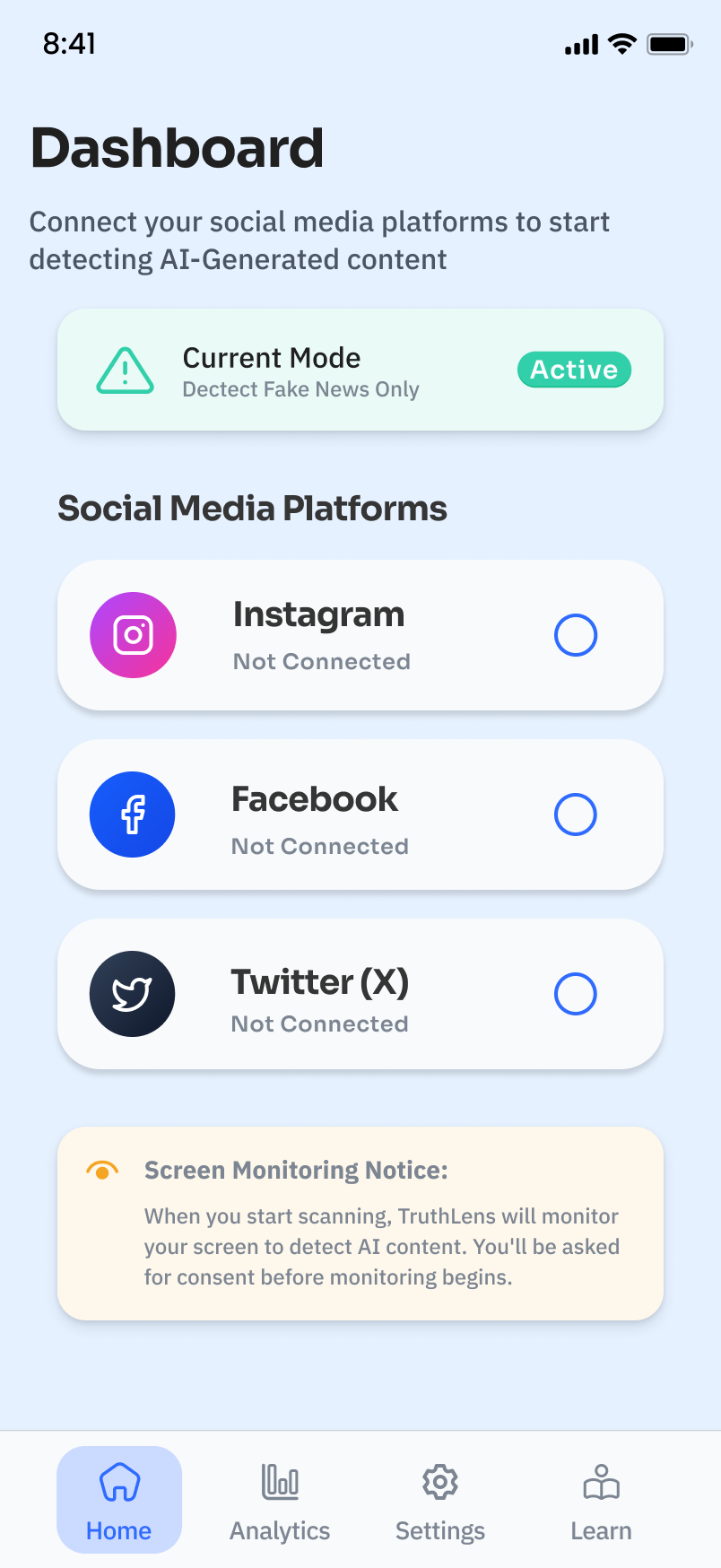
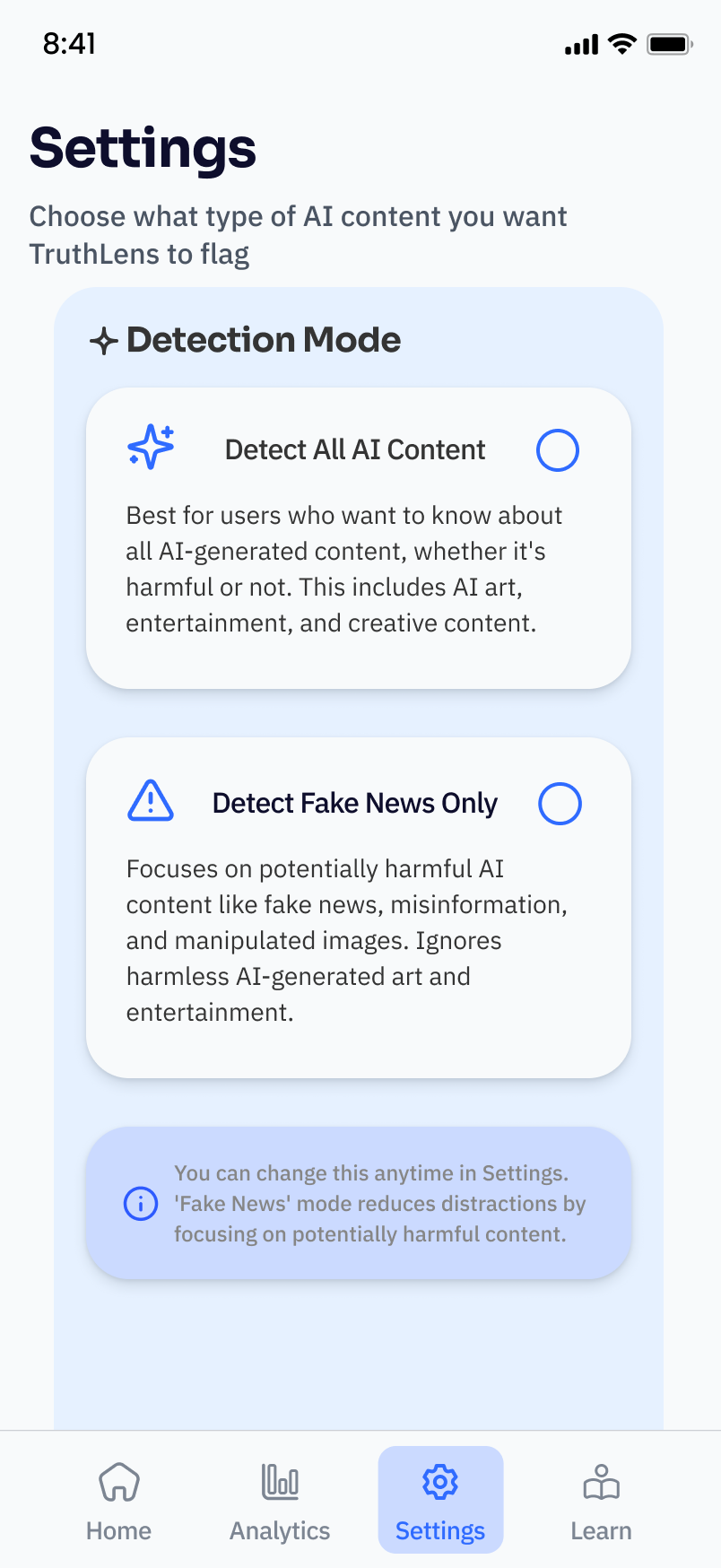

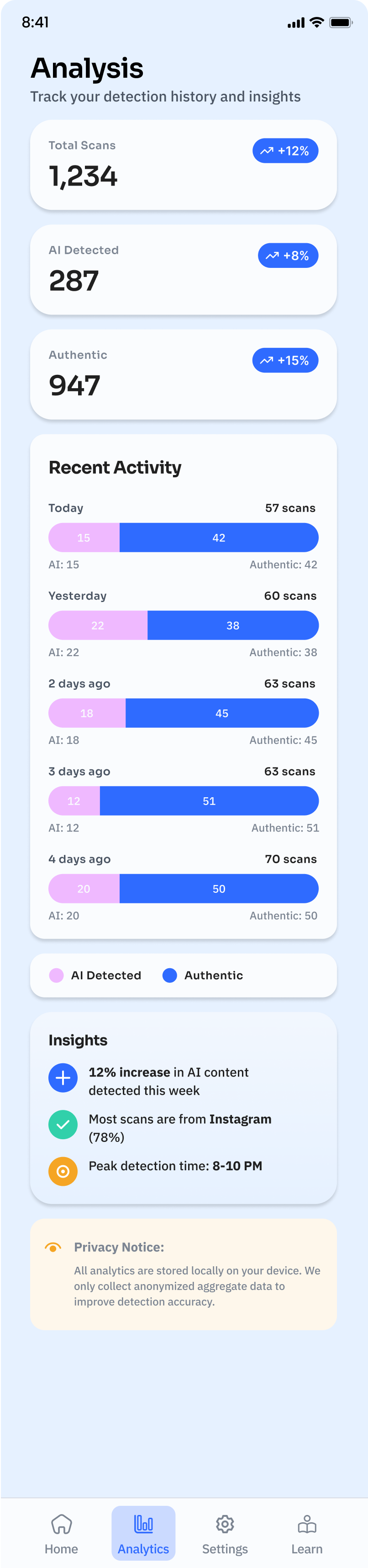
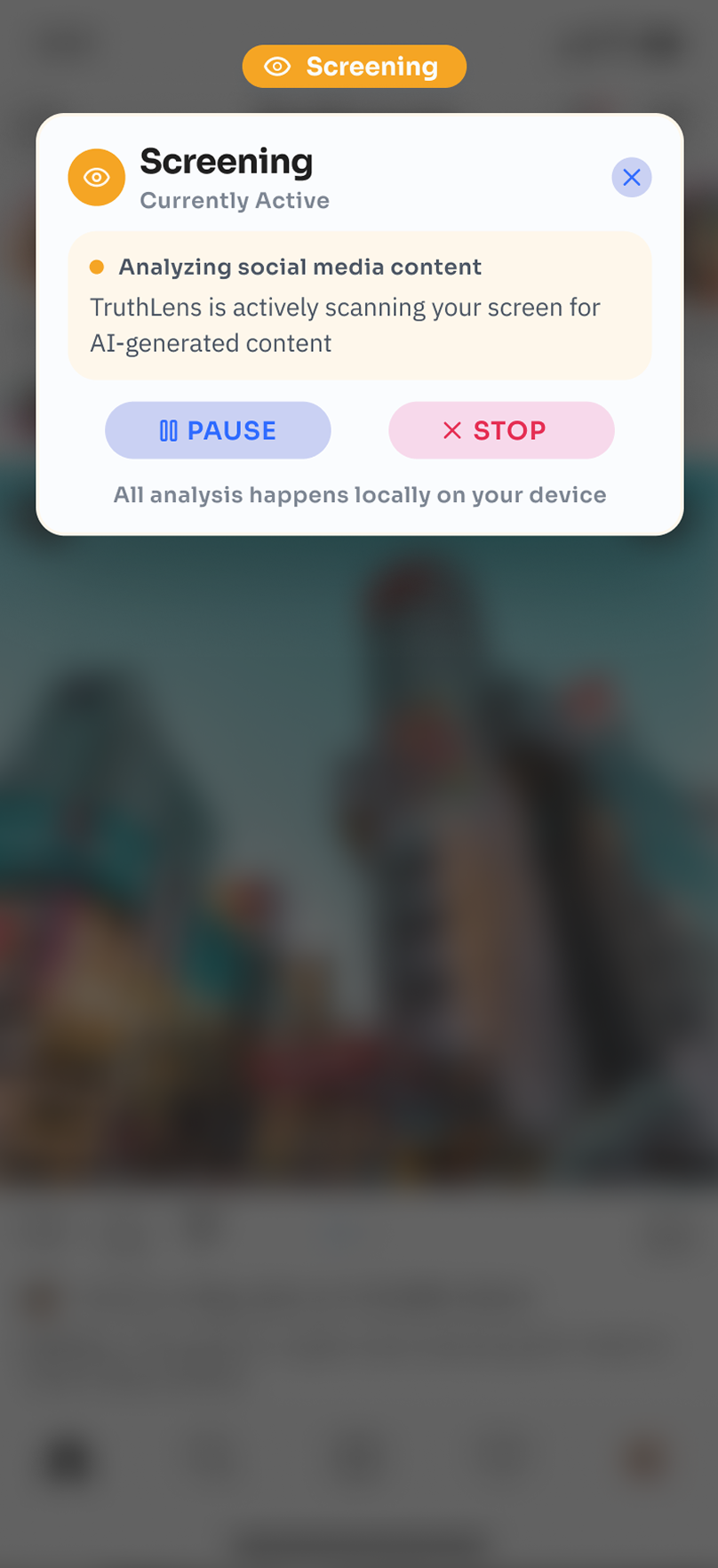

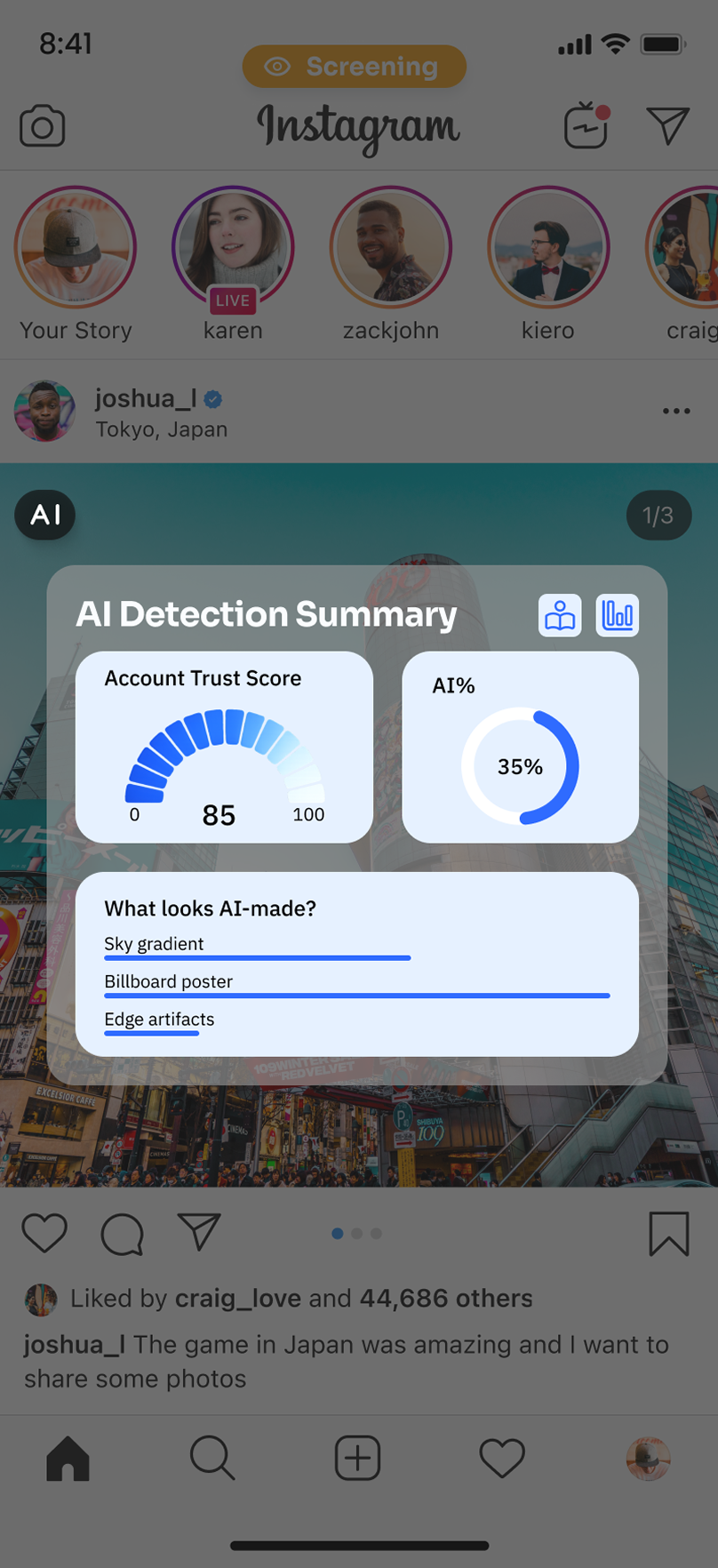
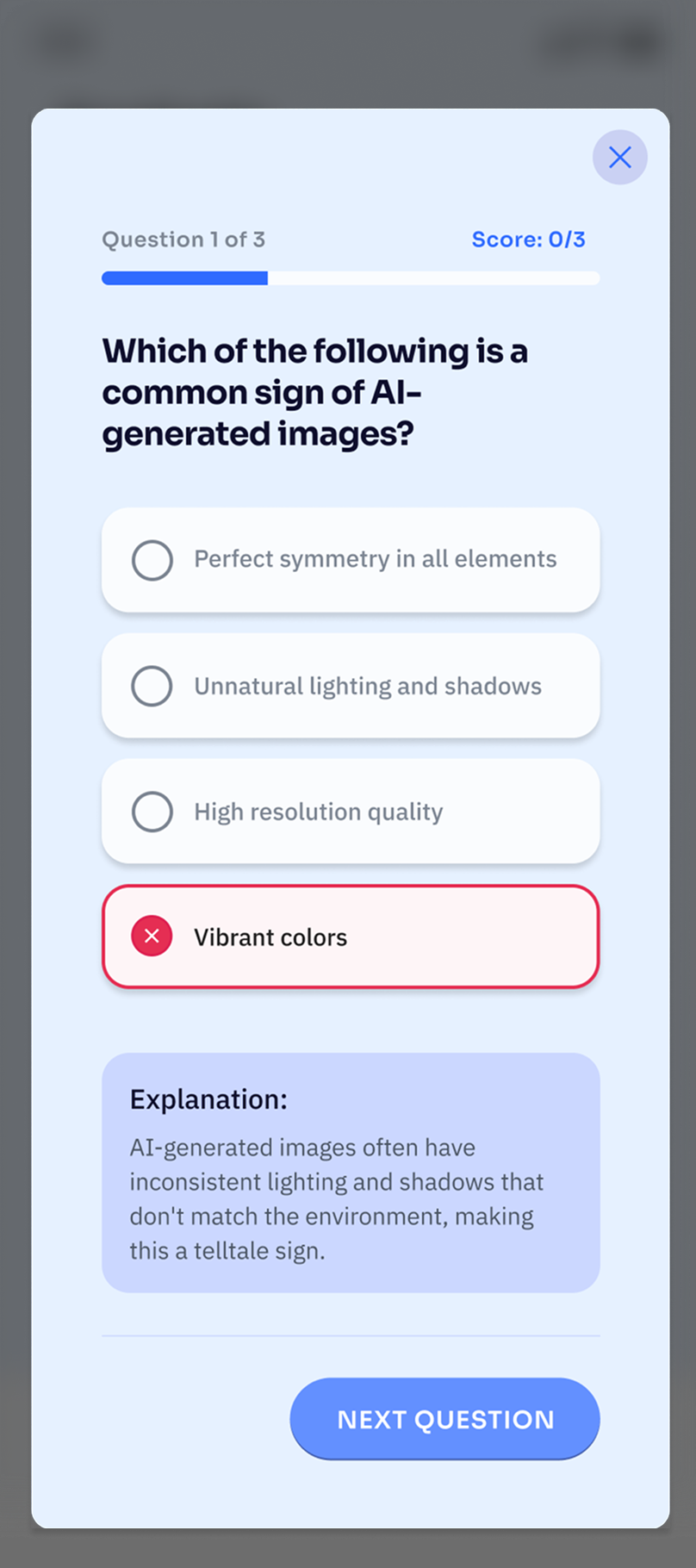
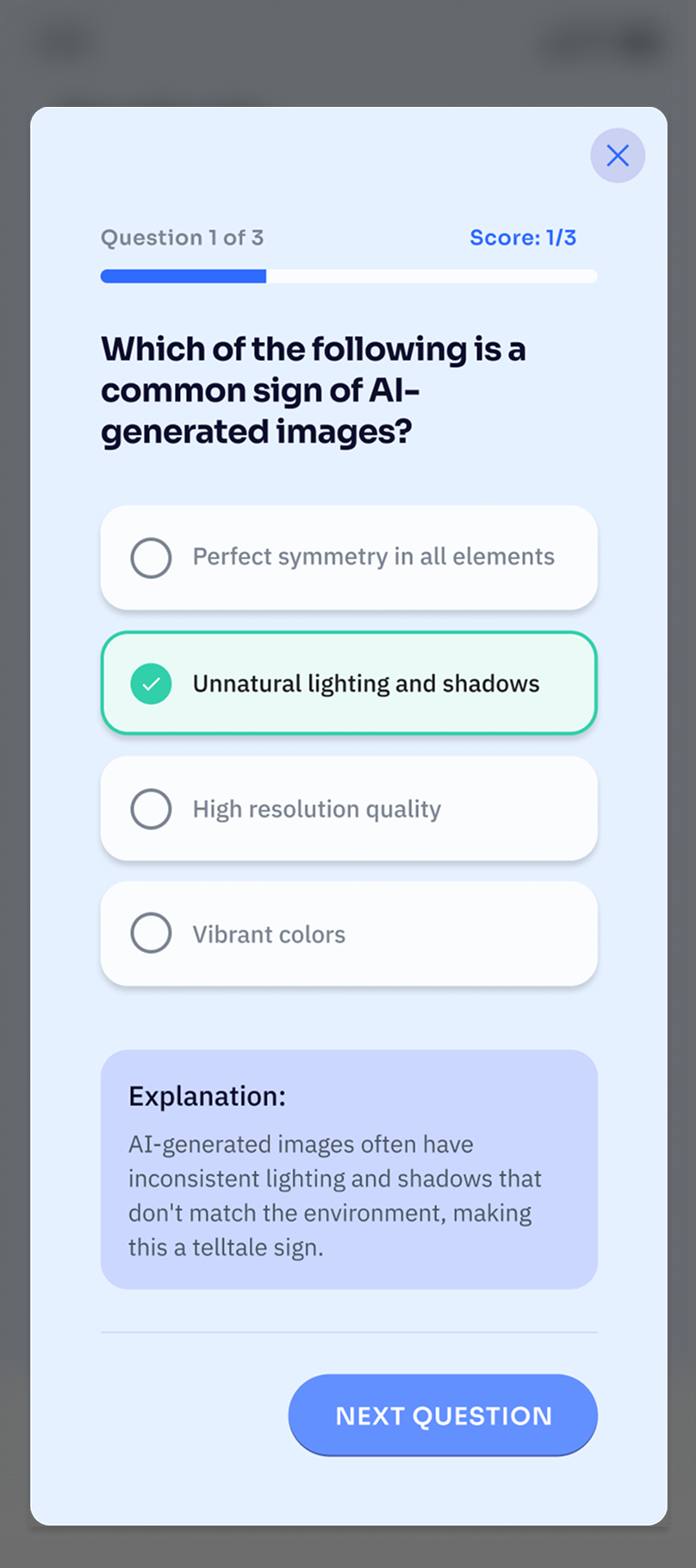
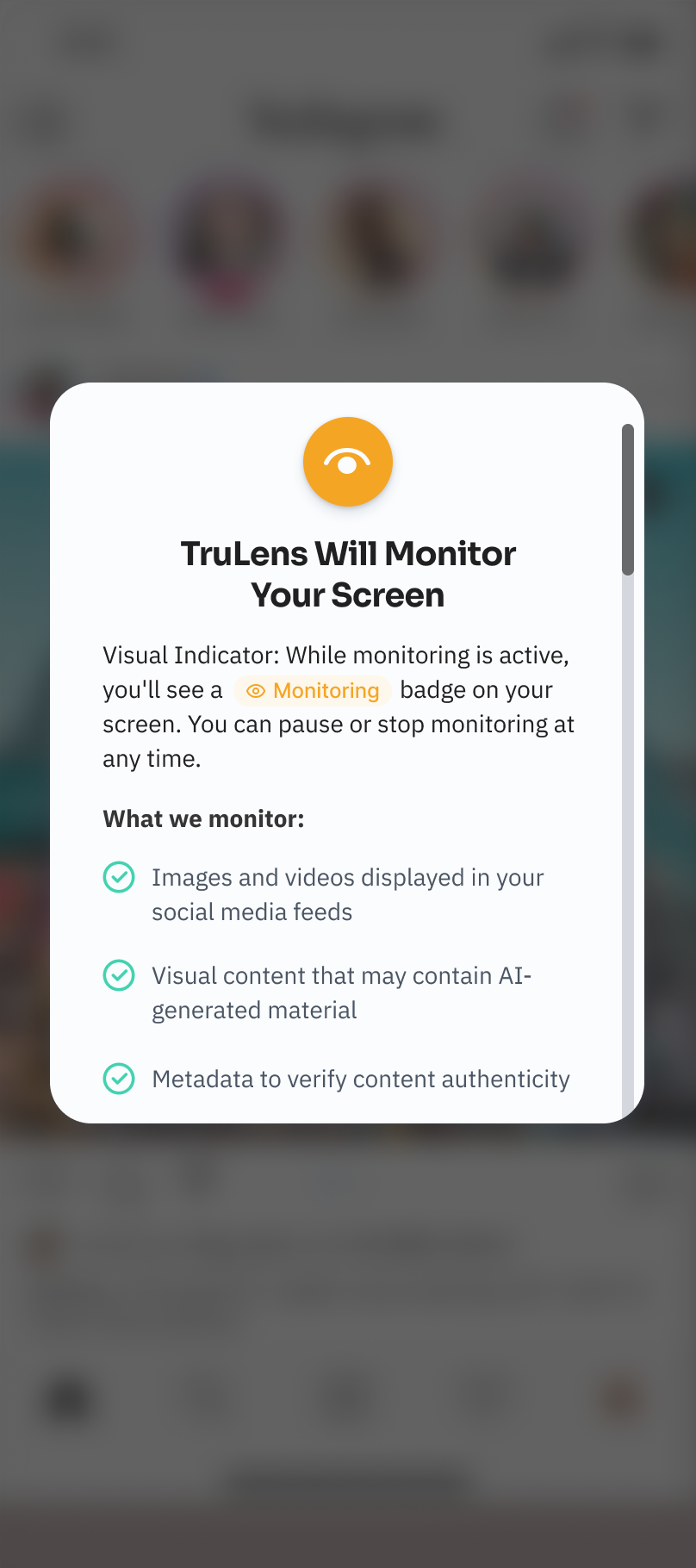
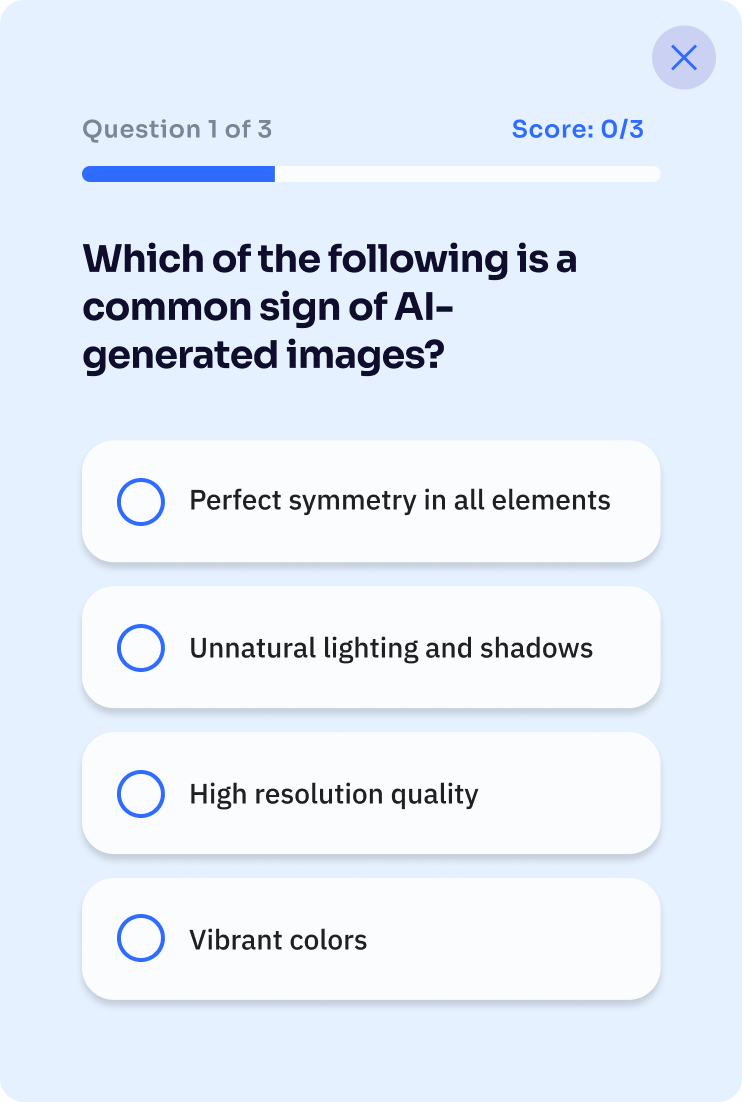
TESTING
ITERATION
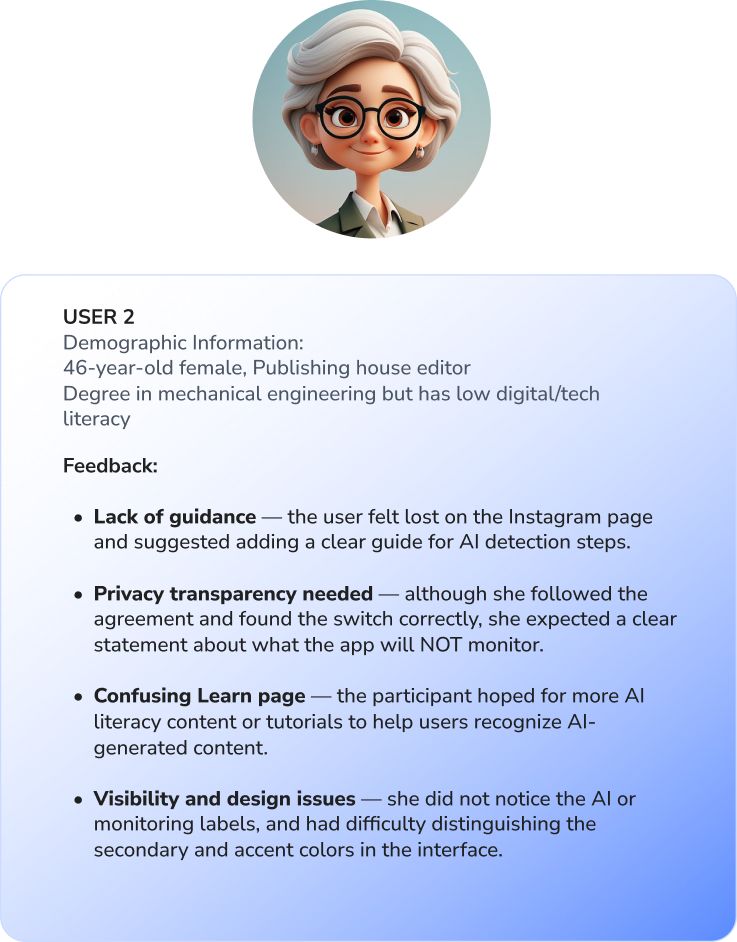
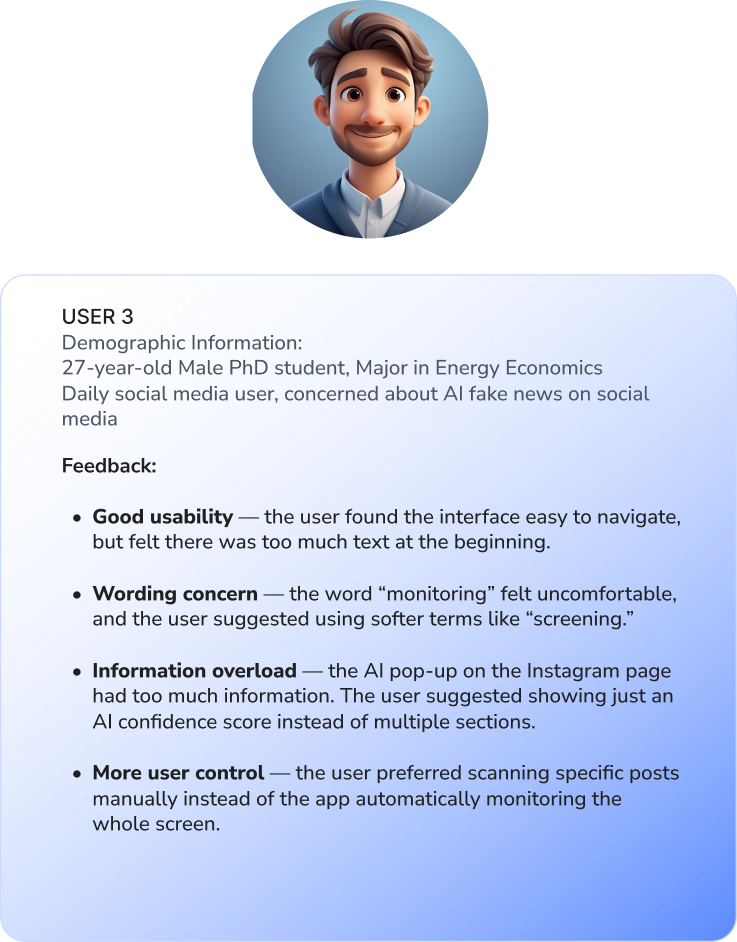
Working on TruLens showed me how easily misinformation slips into daily browsing. I designed subtle AI overlays and customizable screening to help users pause and reflect without feeling overwhelmed.
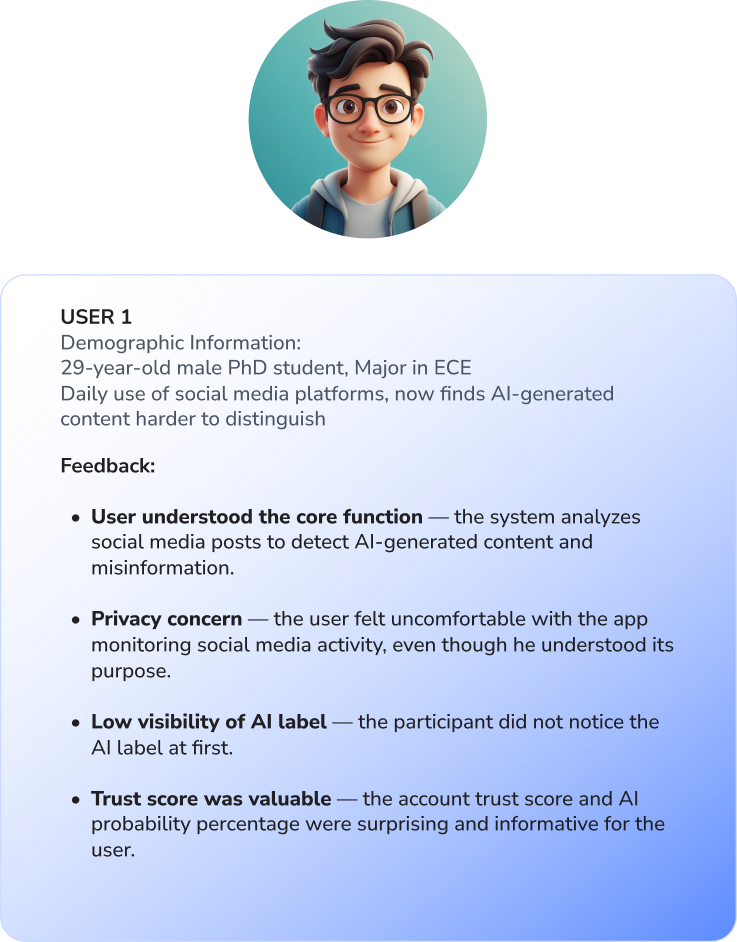
User testing confirmed the layout and system were clear, though the AI overlay button needed more visibility, which we revised. The project reinforced that small design choices—hierarchy, spacing, color cues—can make AI insights truly usable and empower critical engagement.